- 1. Introduction.
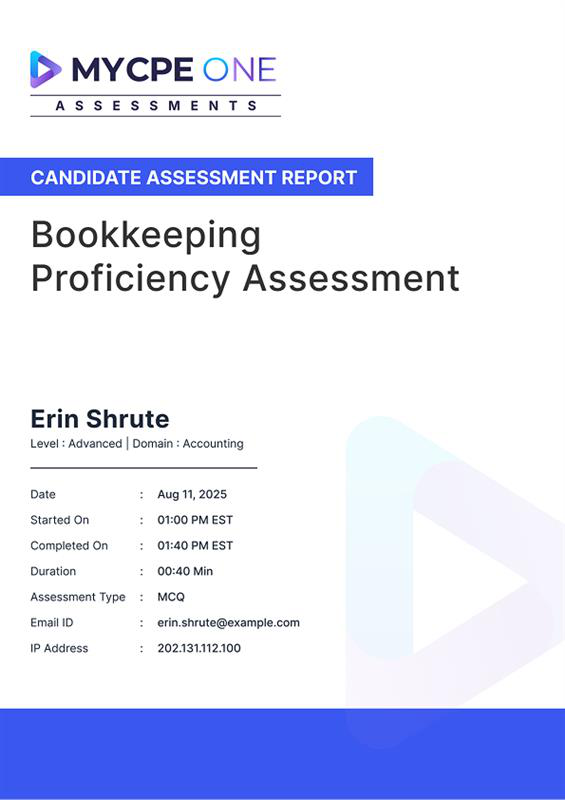
These Terms and Conditions (“Terms”) set out the legally binding terms under which MYCPE ONE LLC (“Provider”) makes its online assessment products and related services (the “Assessments”) available to customers via its website. By accessing or using the Assessments, including by registering an account, assigning Assessments to candidates, or undertaking an Assessment, the Customer and/or Candidate acknowledges and agrees to be bound by these Terms. If you do not agree to these Terms, you must not access or use the Assessments.
- 2. Definitions
For the purposes of these Terms and Conditions, the following expressions shall have the meanings set out below:
“Administrator” means the individual designated and authorized by the Customer (accounting firm, organization, or its representative) to manage access to the Assessments via the Website and to assign the Assessments to Candidates on behalf of the Customer.
“Assessment(s)” means the online assessment product and related content made available by the Provider via the Website, including any AI-proctored test, task, exercise, or evaluation assigned to a Candidate, whether purchased individually as a Standalone Assessment or provided under a Team Subscription.
“Candidate” means any individual (including, without limitation, the Customer’s employees, prospective employees, contractors, agents, or other authorized participants) to whom an Assessment is assigned by the Administrator and who undertakes such Assessment using their own credentials. A Candidate shall not acquire any contractual rights, entitlements, or claims against the Provider by reason of undertaking an Assessment, it being expressly acknowledged and agreed that all rights and obligations in connection with the Assessments lie solely and exclusively with the Customer.
“Licensed User” means an individual who is a registered user under the Customer’s Advanced Plan or Premium Plan Team Subscription and who is authorized to access Assessments without additional charge.
“Team Subscription” means any paid subscription plan (including the Advanced Plan or Premium Plan) purchased by a Customer which includes the right to assign Assessments to Licensed Users through the Website.
“Website” means the Provider’s website through which the Assessments are accessed, managed and delivered, including all associated portals, interfaces and subdomains.
“AI Proctoring” means the use of artificial intelligence-enabled technology and monitoring techniques (including screen and browser activity recording, camera and audio monitoring, facial recognition, movement tracking, keystroke analysis, network/device monitoring, and automated irregularity detection) for the purposes of monitoring Candidates during Assessments to detect potential cheating, impersonation, or irregular behaviour. AI Proctoring may also include human review of flagged activity.”
“Third-Party Service Providers” means independent vendors engaged by the Provider to supply technology, software, infrastructure, data processing, or monitoring services that form part of the delivery of the Assessments (including but not limited to providers of AI proctoring, anti-cheating tools, hosting, and data storage solutions).
“Standalone Assessment” means an Assessment purchased individually by a Customer on a per-candidate or per-assignment basis outside of any Team Subscription. Standalone Assessments are subject to the applicable per-assessment fee and remain valid for a period of twelve (12) months from the date of purchase.
-
3. Access & Free Trial
Upon completion of the initial registration process, each firm administrator (“Administrator”) will receive access to one (1) complimentary Assessment (“Free Assessment”). The Free Assessment may be assigned to any internal employee of the Customer or to an external candidate, provided that it is used solely for lawful and authorized evaluation purposes. Access to the Free Assessment -and to any other features or functionality of the platform -is strictly conditioned upon the Administrator’s review and acceptance of these Terms. By registering for an account, accessing the platform, or assigning the Free Assessment, the Administrator represents and confirms that (i) they have the authority to bind the Customer to these Terms, and (ii) the Customer agrees to be legally bound by these Terms. The Free Assessment is provided for evaluation use only and may not be sold, transferred, sublicensed, or combined with any commercial offering. The Provider reserves the right to suspend or withdraw access to the Free Assessment in the event of misuse or a breach of these Terms.
-
4. Customer Responsibilities
The Customer is solely responsible for (i) obtaining all notices and consents required from Candidates for the lawful use of the Assessments, including the monitoring, collection, and processing of personal data (such as audio, video and screen activity) for AI proctoring purposes; (ii) ensuring that all information provided to the Provider, including Candidate information and any data uploaded to or entered in the Website, is accurate, complete, and not misleading; (iii) ensuring that all Candidates use their own unique credentials and do not share or transfer their login details or Assessment access credentials; and (iv) promptly notifying the Provider of any actual or suspected unauthorized use of Assessment access, credentials, or account information. The Customer acknowledges that the Provider will rely on the accuracy of the information supplied by the Customer in connection with the provision of the Assessments and shall not be liable for any loss or damage arising from inaccurate or incomplete information provided by the Customer or its Candidates.
-
5. Paid Assessments
Once the complimentary Assessment has been used, all subsequent Assessments shall be subject to the fees listed on the Website at the time of purchase. Fees apply on a per-Assessment basis and are payable irrespective of whether the Assessment is assigned to an internal staff member, new hire, contractor, or external candidate. All fees are non-refundable and exclusive of any applicable taxes, which shall be the responsibility of the Customer. Each purchased Assessment is valid for a period of twelve (12) months from the date of purchase and must be assigned and used within that period. Any Assessment that remains unused after the expiration of the twelve-month validity period will automatically expire and no refund, credit, or extension shall be given. The Provider reserves the right to modify its pricing from time to time; however, any such changes will not affect Assessments that have already been purchased prior to the effective date of the price change.
-
6. Assignment & Use
Administrators may assign purchased or allocated Assessments to individual Candidates of their choice; however, each Assessment is personal to the designated Candidate and may only be accessed and completed by that specific individual. Assessments may not be reassigned once access is granted and may not be shared, sublicensed, resold, copied, reproduced, or otherwise made available to any other individual or entity. Candidates must access and complete the Assessments using their own credentials and are prohibited from using false identities or impersonating any other person. Any sharing or duplication of Assessment content, questions, scoring methodology, or proctoring processes -whether in whole or in part -is strictly prohibited and constitutes a material breach of these Terms. The Provider reserves the right to suspend or terminate access to the Assessments in the event of any such unauthorized use.
-
7. AI Proctoring & Anti-Cheating
To preserve the integrity and reliability of the Assessments, the Provider uses artificial intelligence-based proctoring and monitoring technologies designed to detect and deter cheating or irregular behaviour. Such monitoring may include, without limitation, real-time screen capture, recording of keyboard or mouse activity, access to the Candidate’s device camera and microphone to record audiovisual activity, and the use of facial recognition or movement tracking. These proctoring services are supplied by carefully selected third-party technology providers and form an integral part of the Assessment delivery. By undertaking an Assessment, the Candidate expressly acknowledges and consents to the use of such monitoring technologies.
While the Provider exercises commercially reasonable efforts in selecting such third-party providers, the Provider does not guarantee that the AI proctoring technology will detect all instances of cheating or function without interruption, error or limitation. The Provider shall have no liability for any loss, damage or inconvenience arising from the performance or non-performance of such third-party technology.
-
8. Third-Party Services and Integrations
The Assessments may incorporate, interoperate with, or rely upon third-party technologies and services, including but not limited to proctoring tools, monitoring platforms, hosting services and payment processors (“Third-Party Services”). Such Third-Party Services are provided pursuant to the relevant third-party’s own terms and conditions and are outside the control of the Provider. The Provider does not endorse, warrant, or assume any responsibility for the accuracy, functionality, availability, performance, or security of any Third-Party Services. The Provider shall not be liable for, and expressly disclaims any responsibility for, any loss, damage, failure, or interruption arising from the use of or reliance upon any Third-Party Services or any acts, omissions, or errors of the relevant third-party service provider.
-
9. Data & Privacy
In connection with the provision and operation of the Assessments, the Provider may collect, access, and process information relating to Administrators and Candidates, including but not limited to name, contact details, login credentials, Assessment responses, usage data, screen activity, and any audio or video recordings captured during AI proctoring (collectively, “Assessment Data”). The Provider processes such Assessment Data solely for the purposes of delivering, monitoring, proctoring, and scoring the Assessments and improving the functionality and integrity of the Website.
The Customer is solely responsible for providing all required notices to and obtaining all legally required consents from Candidates with respect to the monitoring, collection, and processing of their personal data, including in connection with AI proctoring. The Customer further represents and warrants that it has all rights necessary to provide such Assessment Data to the Provider.
The Provider implements and maintains commercially reasonable technical and organisational safeguards designed to protect Assessment Data from unauthorised access, loss, disclosure, or alteration. Notwithstanding the foregoing, the Provider shall not be liable for any loss, disclosure or misuse of Assessment Data resulting from the Customer’s negligence or misconduct, including the sharing of access credentials, failure to implement appropriate internal security controls or delay in reporting suspected unauthorised access.
- 10. Data Security and Security Incident Notification
The Provider maintains commercially reasonable technical and organizational safeguards intended to protect all Customer and Candidate data against accidental or unlawful loss, destruction, alteration, unauthorised disclosure or access. Such safeguards include, where appropriate, encryption, access controls, network security measures and regular monitoring of system activity.
In the event that the Provider becomes aware of any unauthorised access to, or disclosure of, Customer or Candidate data (a “Security Incident”), the Provider will use reasonable efforts to notify the Customer without undue delay after confirming the occurrence of such Security Incident. The Provider will cooperate in good faith with the Customer in investigating the Security Incident and will take reasonable steps to mitigate any adverse effects. For clarity, the Provider shall not be responsible for any third-party notification obligations or regulatory filings that may arise as a result of the Security Incident, unless required to do so under applicable law.
-
11. Payments & Refunds
All fees for paid Assessments are due at the time of purchase and are strictly non-refundable. The Customer acknowledges and agrees that no refunds, credits, chargebacks, or offsets will be provided in respect of (i) unused Assessments, (ii) dissatisfaction with Assessment content or results, or (iii) minor interruptions, delays, or technical issues, including any variances in AI scoring or proctoring performance. Refunds or credits will only be considered in the limited circumstance where there has been a complete and prolonged non-delivery of the Assessment solely due to the Provider’s fault and not caused by any third-party service provider, act or omission of the Customer, or force majeure event.
The Provider reserves the right to suspend or disable access to Assessments in the event of any failure by the Customer to pay applicable fees when due.
-
12. Evaluation & Results
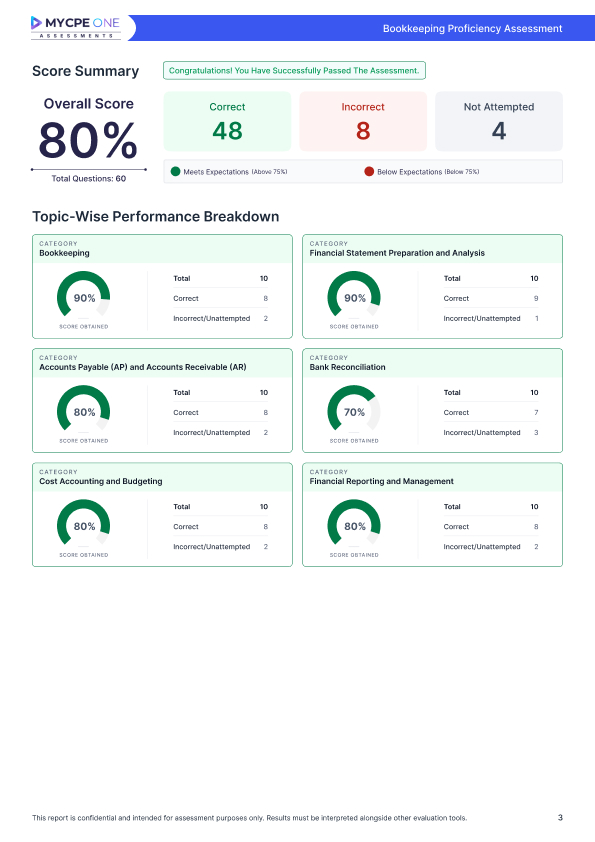
Assessment results may be presented in either a pass/fail format or as a numerical or percentage score and are provided solely for informational and evaluative purposes. The Provider makes no representation, warranty, or guarantee that completion of any Assessment will result in employment, certification, promotion, or any form of professional advancement. The Customer remains solely responsible for interpreting the results and for any decisions made in reliance on such results, including without limitation recruitment, hiring, promotion, performance evaluation, or other internal or external personnel actions. The Provider does not control or influence how Assessment results are used and expressly disclaims any and all responsibility or liability arising from the Customer’s use of or reliance on such results.
-
13. Confidentiality
Each party agrees to maintain the confidentiality of all non-public, proprietary, or confidential information disclosed by the other party in connection with the Assessments (“Confidential Information”) and to use such Confidential Information solely for the purpose of fulfilling its obligations under these Terms. Except as expressly permitted herein, neither party shall disclose any Confidential Information to any third party without the prior written consent of the disclosing party, except where such disclosure is required by law, regulation, or court order (in which case the receiving party shall, to the extent legally permissible, provide prompt notice to the disclosing party). Each party shall protect the other party’s Confidential Information using at least the same degree of care that it uses to protect its own confidential information of like importance, but in no event less than reasonable care. The obligations set forth in this clause shall survive the termination or expiration of these Terms.
- 14. Warranties & Disclaimers
The Assessments and the Website are provided on an “AS IS” and “AS AVAILABLE” basis and, to the fullest extent permitted by law, without any representations or warranties of any kind, whether express, implied, or statutory. Without limiting the foregoing, the Provider expressly disclaims all implied warranties of merchantability, non-infringement, accuracy, reliability, fitness for a particular purpose, and uninterrupted availability. The Provider does not warrant that the AI proctoring technology or any third-party integrations will detect or prevent all cheating attempts, operate without error, or function continuously without interruption.
To the maximum extent permitted by applicable law, the Provider’s total aggregate liability arising out of or in connection with any Assessment, whether in contract, tort (including negligence), or otherwise, shall be limited to the total amount of fees actually paid by the Customer for the specific Assessment giving rise to the claim.
-
15. Indemnity
The Customer shall indemnify, defend and hold harmless the Provider, its affiliates and their respective officers, directors, employees and agents from and against any and all claims, liabilities, losses, damages and expenses (including reasonable attorneys’ fees and costs) arising out of or in connection with: (i) the Customer’s misuse of the Assessments or any Assessment results; (ii) the Customer’s violation or breach of these Terms; or (iii) the Customer’s failure to obtain or document all necessary notifications and consents from Candidates in connection with the processing of personal data and the use of AI proctoring technologies. The Customer shall not settle any claim or proceeding without the Provider’s prior written consent (not to be unreasonably withheld), and the Provider reserves the right to participate in the defense of any such claim at its own cost and expense.
-
16. Compliance with Laws
The Customer agrees to use the Assessments in full compliance with all applicable laws, rules and regulations, including but not limited to data privacy and export control laws. The Customer represents and warrants that it is not located in a jurisdiction in which the use of the Assessments is prohibited under applicable export laws.
-
17. Term & Termination
Each purchased Assessment will remain valid and accessible for a period of twelve (12) months from the date of purchase, unless suspended or terminated earlier in accordance with these Terms. The Provider may, in its sole discretion and with immediate effect, suspend or terminate the Customer’s or any Candidate’s access to the Website and/or Assessments if the Customer or any Candidate: (i) breaches or violates these Terms; (ii) misuses the Assessments, the Website, or any Assessment materials; or (iii) engages in, or is reasonably suspected of engaging in, fraudulent, abusive, or unlawful activity.
Termination or suspension under this clause will be without prejudice to any other rights or remedies available to the Provider. Upon termination, all rights granted to the Customer and Candidates under these Terms will immediately cease and the Customer shall cease using the Assessments and the Website. Any provisions of these Terms which by their nature should survive termination (including, without limitation, Confidentiality, Indemnity, Warranties & Disclaimers, and Limitation of Liability) shall so survive.
-
18. General Applicability of Assessment Terms
All provisions contained in these Terms -including, without limitation, those relating to access, assignment, AI proctoring, data handling, payments, refunds, warranties, disclaimers, and limitation of liability -apply equally to (i) standalone Assessments purchased on an individual basis and (ii) Assessments assigned pursuant to any Team Subscription, including the Advanced Plan and Premium Plan. For the avoidance of doubt, Assessments assigned to Licensed Users under a valid Team Subscription are included at no additional cost, whereas Assignments made to individuals who are not Licensed Users (including new hires, contractors, or external candidates) remain subject to the then-current per-Assessment fee (currently USD 99), unless expressly stated otherwise in writing by the Provider.
-
19. Notices
All notices required under these Terms shall be provided in writing and delivered by email or by certified mail to the addresses communicated by the parties. Notices shall be deemed received on the date of delivery or, in the case of email, on the date of electronic confirmation of transmission.